What Counts as a Fresh Pin on Pinterest in 2025?
This post lays out each level of freshness, why distribution decays with reuse, and how to build a workflow that keeps the “fresh” dial turned up—without burning all your time.
Home » Page 3

This post lays out each level of freshness, why distribution decays with reuse, and how to build a workflow that keeps the “fresh” dial turned up—without burning all your time.

Pinterest doesn’t reward volume alone anymore. In 2025 its ranking system (often described as TransActV2) weighs far more contextual clues, and—as MadPinMedia notes—considers 16,000+ signals. If freshness (new images + new text), timing, or account health slip—even a little—impressions can sink even when you’re still posting.

Whether you’re a casual user looking for inspiration or a business relying on Pinterest traffic, search issues can mean wasted time and lost opportunities. Fortunately, most problems with Pinterest search have clear fixes.
In this guide, we’ll walk through the most common reasons Pinterest search might not be working, along with practical solutions to get it running smoothly again.

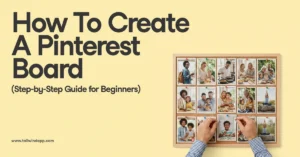
Pinterest boards are like digital scrapbooks where you organize and save Pins around specific themes, topics, or interests.
Think of them as your personal collections that help you keep track of recipes, home decor inspiration, fashion ideas, or any other content that catches your eye on Pinterest.
This guide will walk you through everything you need to know about Pinterest boards as a complete beginner, from understanding how they work to creating your first board and filling it with engaging content.

Mastering how to add Pins to Pinterest board, remove Pins from Pinterest board, and move Pins on Pinterest gives you complete control over your content organization and board optimization. These fundamental Pinterest management skills help you maintain relevant, high-quality collections that attract followers, drive engagement, and support your personal or business goals.

Learning how to share Pinterest boards opens up a world of creative possibilities, whether you’re showcasing your curated collections to followers, collaborating with team members on brand campaigns, or working with friends on life events like wedding planning. Pinterest’s sharing features transform your private inspiration collections into powerful tools for connection, collaboration, and professional growth.

Pinterest automatically saves your search history to personalize your experience and make it easier to return to topics you’ve explored before.
However, there are plenty of reasons why you might want to clear Pinterest search history – whether for privacy on a shared device, to refresh your search recommendations, or simply to clean up outdated searches.

Manifest your goals and dreams using a Pinterest vision board. Learn how to easily create and organize your board for maximum inspiration and motivation. Use tips and strategies to make your vision board more effective and attract accountability partners for your journey. Expertly written guide with FAQs. Start your journey to intentional growth and achievement today!

Your Pinterest profile is like your digital vision board headquarters, but without proper maintenance, it can quickly become overwhelming chaos. Learning how to organize Pinterest boards, merge Pinterest boards, and rename Pinterest boards isn’t just about aesthetics – it’s a strategic move that impacts your content’s discoverability, your audience engagement, and your overall Pinterest marketing success.

Discover the limitations and benefits of using Pinterest search without an account. Learn how to browse, search, and find inspiration without signing up, and why creating a Pinterest account is worth it. Find out more about Pinterest’s algorithm and how to use Google search to access Pinterest content.