
How do you turn a URL into Pinterest Pins every week?
SmartPin is Tailwind’s Pinterest pin generator. Give it a URL from your website. It reads the page, scores every image it finds, writes a Pinterest-optimized title and description, and lays out a finished Pin design. The draft lands in your Tailwind account for review, and you decide when to schedule it.
Then it keeps going. Every week, SmartPin creates a new, different Pin from the same URL, so one page keeps earning fresh reach on Pinterest without you starting over.


Get started for free. No credit card required.
SmartPin
New Pin every weekURL
tailwindapp.com/blog/pinterest-seo
Read the page
Images, headings, and body text pulled from the post
Score the images
Best match: the guide's laptop photo
Write the copy
3 titles drafted, 1 revised for Pinterest
Design the Pin
Template and colors fitted to the image
Draft ready
Waiting in your queue to review
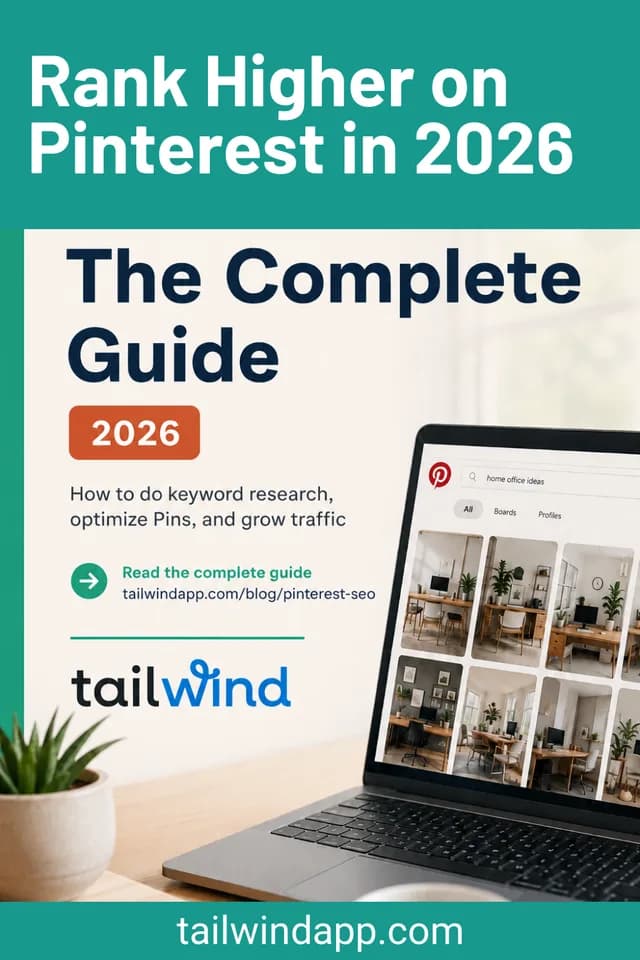
Real draft, week 1
One URL. A different Pin every week.
Pinterest rewards fresh Pins, not re-shares of the same image. SmartPin re-runs the whole pipeline on a schedule, so each draft has a new image, new copy, and a new design while still pointing at the same page.
Week 1
Pinterest SEO in 2026: Keyword Research Tips and Tactics for Every Niche
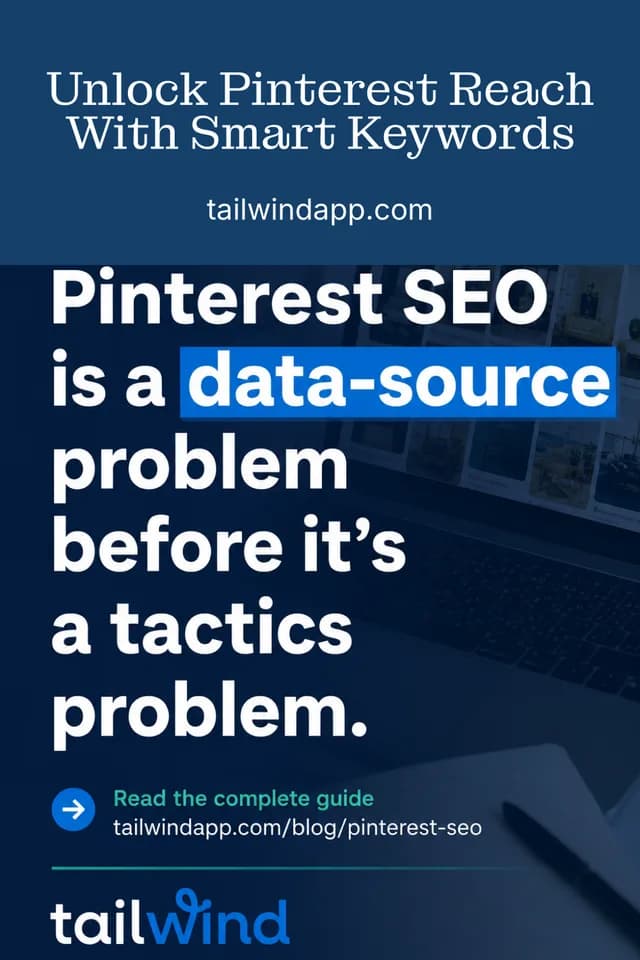
Week 2
Pinterest SEO Guide: Proven Keyword Strategies to Boost Your Reach and Drive Traffic

Week 3
Pinterest SEO Explained: How Real Keyword Data Boosts Impressions, Saves, and Clicks

Week 4
Pinterest SEO Essentials: Keyword Tips, Data Analysis, and Strategy for Better Results
Week 5
Next draft in 7 days
And on it goes
Until you turn it off
Drafts SmartPin generated from tailwindapp.com/blog/pinterest-seo, shown as they came out. The titles under each Pin are the ones SmartPin wrote.
- An image chosen from your page
- Scored against six criteria, with the best-scoring images most likely to be picked.
- A title written for Pinterest
- Under 100 characters, keyword-forward, drafted in three versions and revised.
- A description that earns the click
- Rewritten from the page content in the style of high-performing Pins.
- A finished design
- Template and colors fitted to the chosen image, ready to schedule as is.
How to set up SmartPin in four steps
Setup takes about a minute per URL. After that, the drafts come to you.
- 1
Add a URL
Paste a blog post, product page, or landing page from your site. Add the keywords you want the Pin to target, or let SmartPin work from the page alone.
- 2
Review the draft
Within a few minutes a finished Pin appears in your drafts: a chosen image, a title, a description, and a design. Change anything you like, or accept it as is.
- 3
Schedule it
Pick a board and add the Pin to your queue. SmartSchedule places it in an open time slot, so you never decide when to post.
- 4
Let it regenerate
Every week SmartPin creates a new, different Pin from the same URL. Keep it, edit it, or skip it. Turn off any SmartPin whenever you want.
Add your first URL today
Free plan available. No credit card required.
What the AI actually does
Most pin generators say “AI-powered” and stop there. Here is each decision SmartPin makes, in order, and how it makes it.
1. Score the images
Every image found on the page gets a score out of 100. The share each criterion contributes is shown below. Near-monochrome images and images that don’t match the page content are penalized before ranking.
Relevance to the page
50%
Does the image show what the page is about? Checked against the page text.
Text already on the image
30%
Images covered in text score lower. The Pin design adds its own headline.
Aspect ratio
10%
Closer to Pinterest's 2:3 portrait is better. Wide banners lose points.
Sharpness
4%
Blurry and heavily compressed images drop down the list.
Resolution
4%
Enough pixels to fill a Pin without upscaling artifacts.
Brightness
2%
A small nudge away from very dark or blown-out images.
2. Write the copy
SmartPin reads the page and drafts three title options. It picks one, then runs a revision pass in the style of high-performing Pins: a Pin title under 100 characters, a short headline for the image itself, and a description written for Pinterest search rather than copied from the page. Keywords you add to the SmartPin are worked into this step.
3. Regenerate every week
On each cycle the pipeline runs again from the URL. Image selection is weighted, not fixed: top-scoring images are five times as likely to be chosen as merely good ones, so the pick can change week to week without falling back on poor images. Fresh copy and a new layout follow, which is why two drafts from the same URL are never the same Pin.
Before any of that runs
Page content passes a moderation check first. Pages that fail it don’t generate a draft, and no credit is spent.

SmartPin is one step in the Pinterest growth loop
Each Tailwind feature feeds the next. SmartPin is where keywords become content.
Step 2
SmartPin
Turn your URLs into fresh Pins every week, with keywords built in.
Step 5
Insights
See which Pins drive clicks, then point SmartPin at more of those pages.
Prefer to design Pins yourself? Tailwind Create gives you templates and a drag-and-drop editor. Need copy for Pins you already have? Ghostwriter writes titles, descriptions, and alt text. Both share a credit pool with SmartPin.
Who uses SmartPin
“My business revenue is up over 1,200%. Tailwind has helped me leverage my time and completely transform my business.”

Stacey Langford
Coghlan Cottage Farms
“As soon as I started using Tailwind, our site traffic skyrocketed. I truly believe Tailwind is THE tool that helped us grow a site from nothing to a full-time income in under a year.”

Julie Bonner
TREKKN, RV Lifestyle & Travel

Pinterest’s longest standing developer partner
Common questions about SmartPin
Turn your first URL into Pins
Free plan available. No credit card required.